SELECTED PROJECTS

Systems I've built.

Real working automation systems, documented through the actual customer-facing results.

PROJECT 01 · LEAD MANAGEMENT

WhatsApp Lead Management System

An AI-powered WhatsApp intake system that talks with enquiries, collects the information needed, and turns the conversation into a structured lead record.

All visuals below are screenshots of the working system. Sensitive information has been selectively redacted.

← Back to work
INPUTWhatsApp conversation
PROCESSAI lead qualification
OUTPUTStructured lead
DATABASEGoogle Sheets
01

The customer explains what they need

The AI agent holds a natural WhatsApp conversation and asks questions about the business, current process and the problem they want to improve.
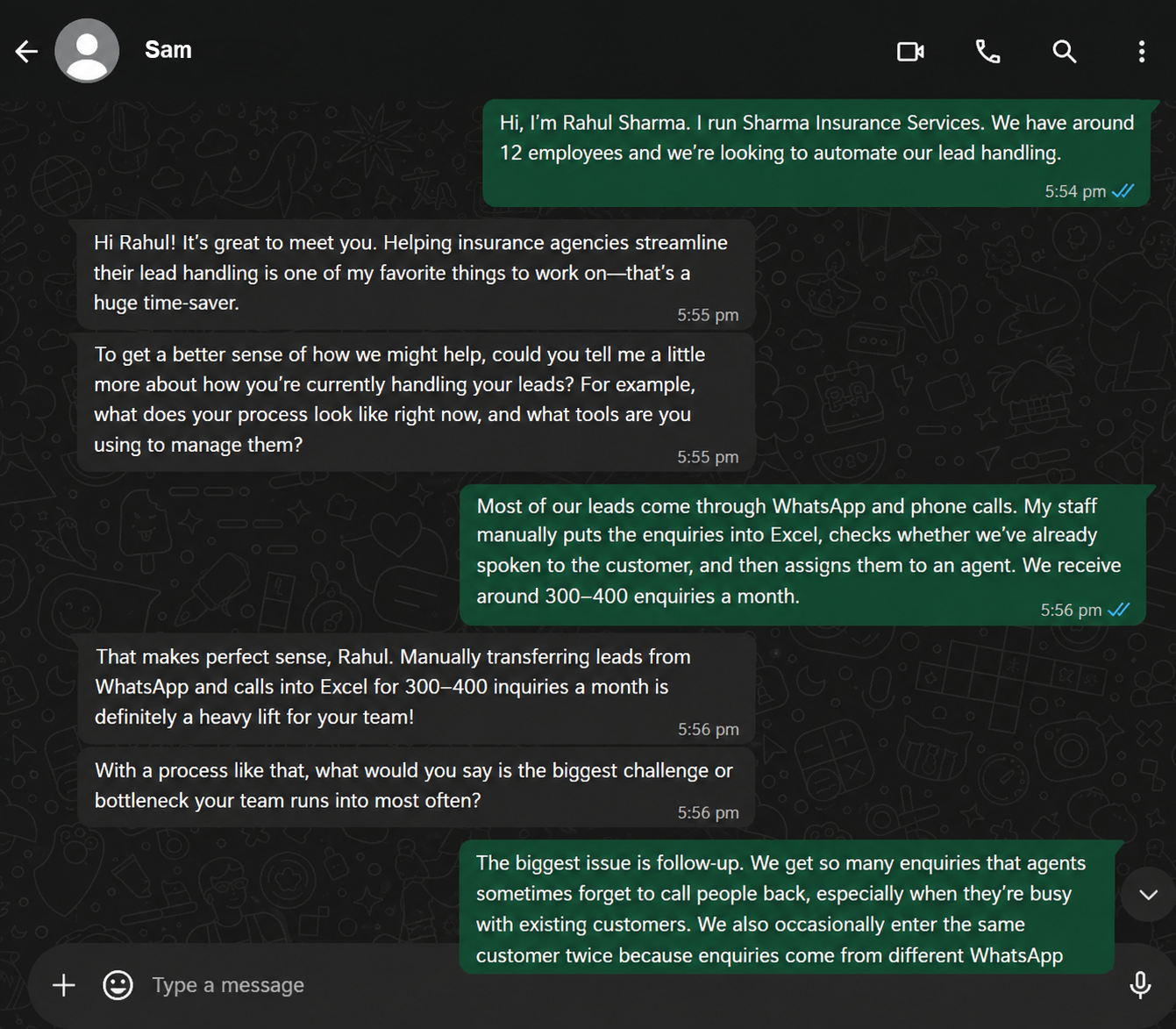
WhatsApp AI lead conversation
Actual WhatsApp conversation · Private information redacted
02

The agent qualifies the enquiry

The conversation continues to collect practical details such as contact information, tools, timeline and budget before the enquiry is handed over.
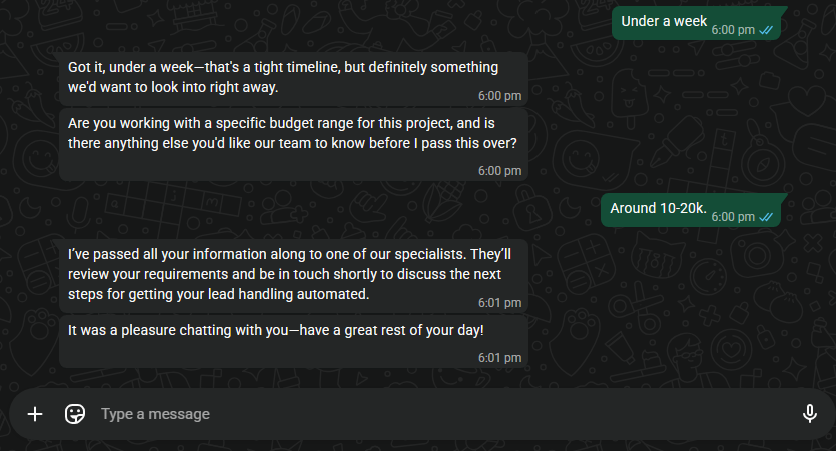
WhatsApp AI lead qualification conversation
Actual WhatsApp conversation · Private information redacted
03

The conversation becomes a structured lead

The collected information is automatically written into the central lead sheet, ready for review and follow-up without manually copying the conversation.
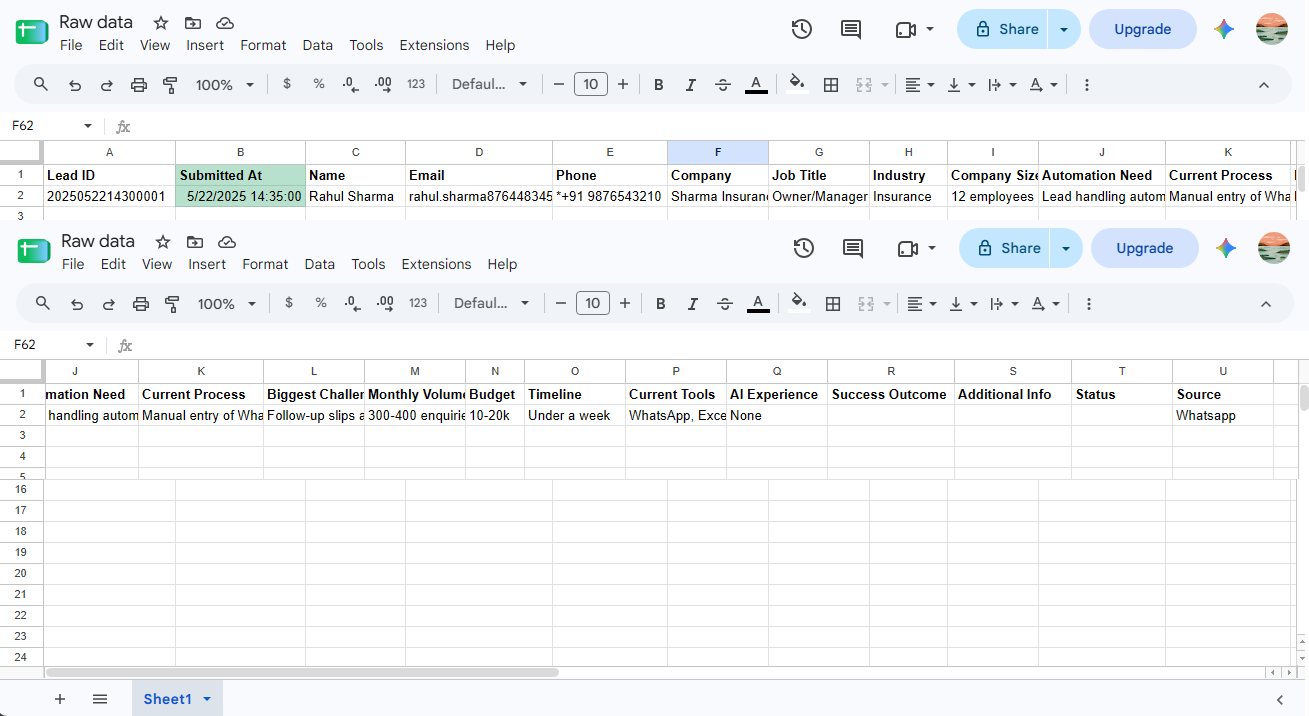
Structured lead record in Google Sheets
Actual lead record in Google Sheets · Private information redacted

RESULT

A customer can explain their problem in WhatsApp while the business receives a structured lead automatically.

✓ Natural WhatsApp intake ✓ AI qualification ✓ Structured lead record ✓ Central Google Sheet
PROJECT 02 · APPOINTMENT AUTOMATION

Appointment Booking & Management System

An end-to-end appointment workflow that takes a request from a customer form through availability checking, staff approval, calendar scheduling and the final customer notification.

All visuals below are screenshots of the working system. Sensitive information has been selectively redacted; the underlying interfaces are not recreated or AI-generated.

← Back to work
INPUTAppointment form
DECISIONStaff approval
ACTIONGoogle Calendar
OUTPUTEmail confirmation
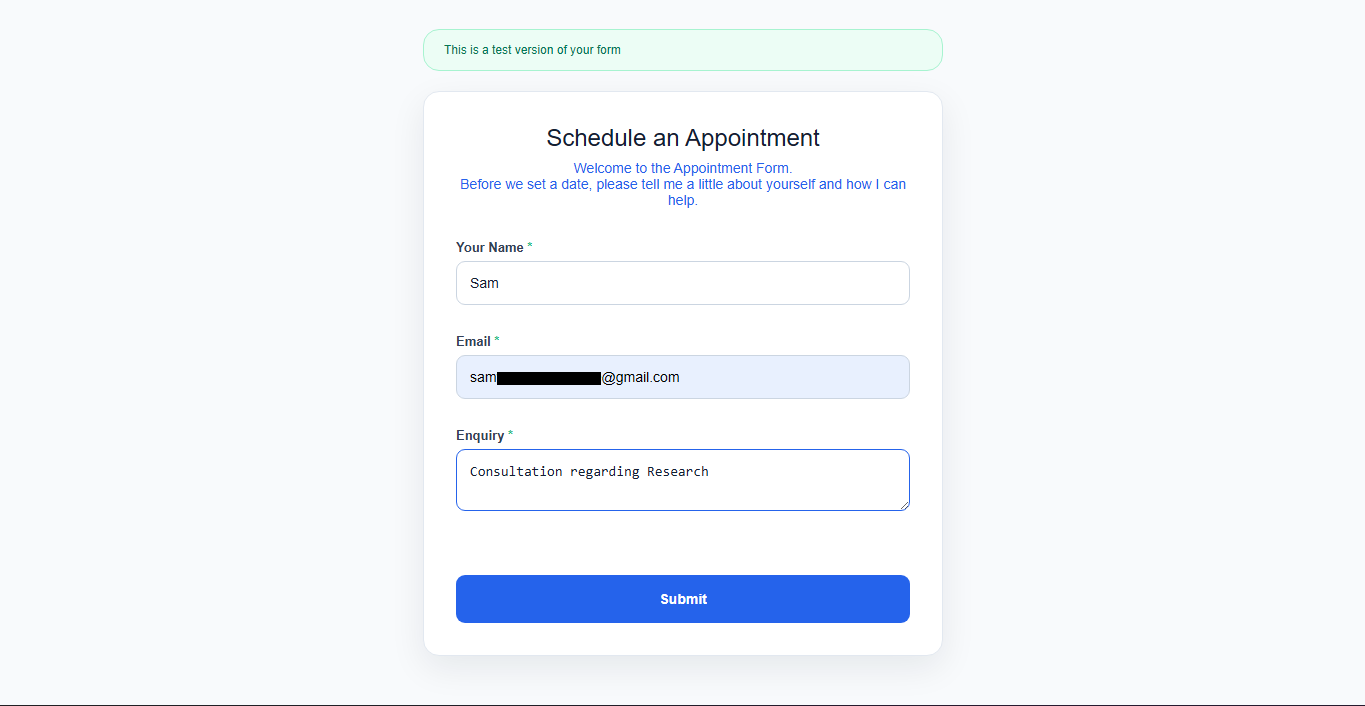
01

Customer submits an appointment request

The customer provides their name, email, enquiry and preferred appointment date and time.

Appointment form — customer details
Actual appointment form · Private information redacted
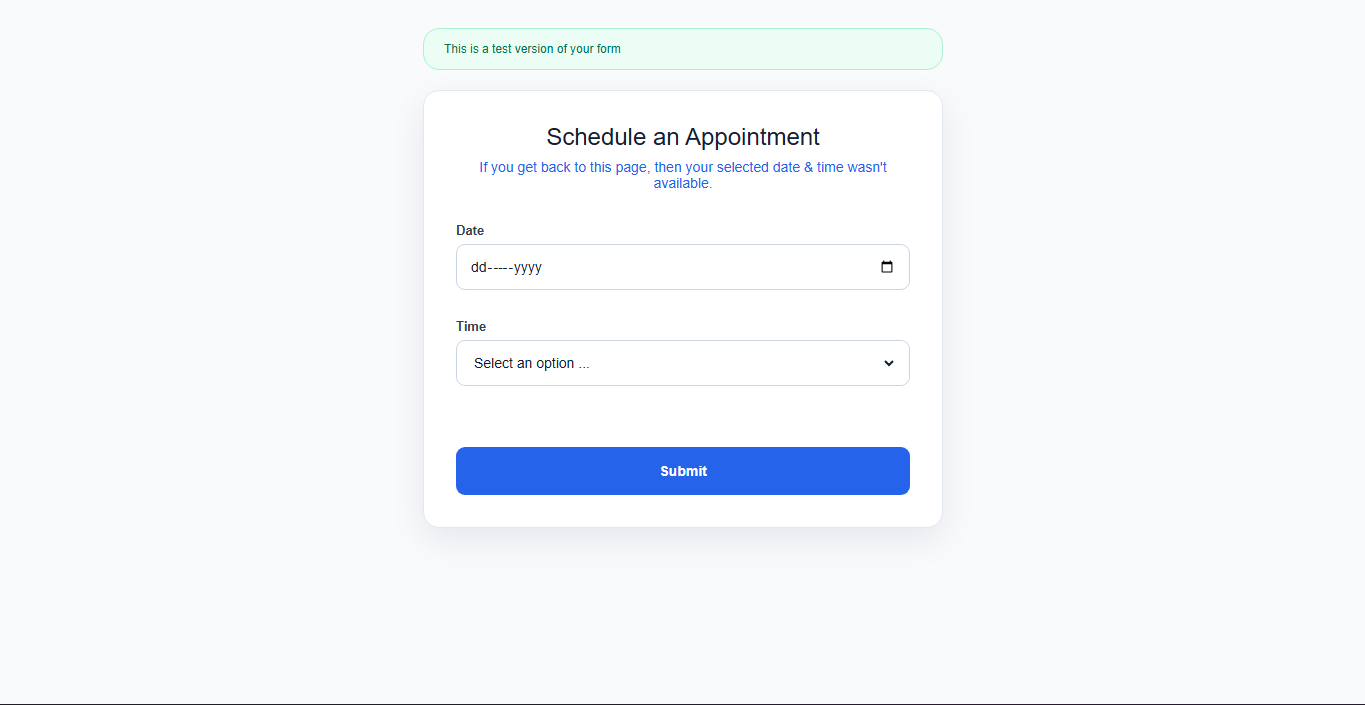
02

The customer selects an available slot

The form presents the date and available time options before the request is submitted.

Appointment form — date and time selection
Actual date and time selection screen
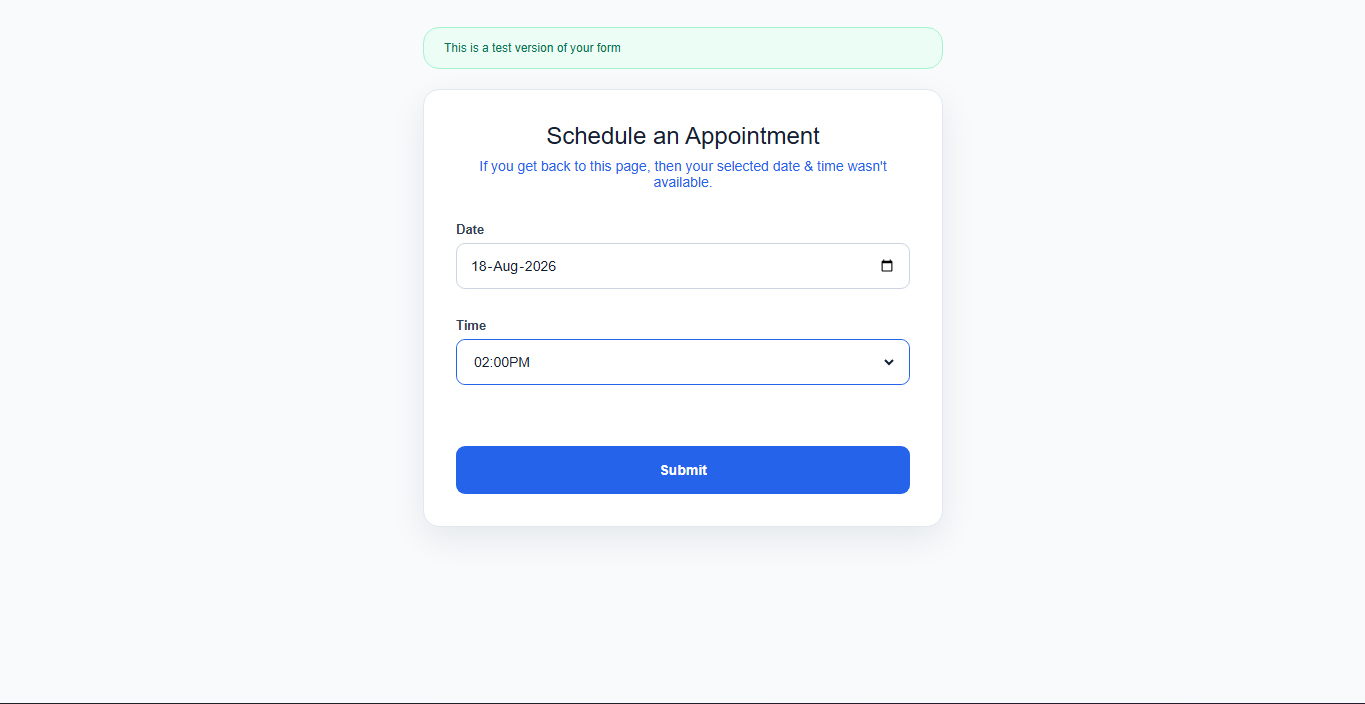
03

The appointment request is submitted

After the customer submits the selected date and time, the form confirms that the request has been sent and is awaiting review.

Appointment request sent confirmation screen
Actual form confirmation screen
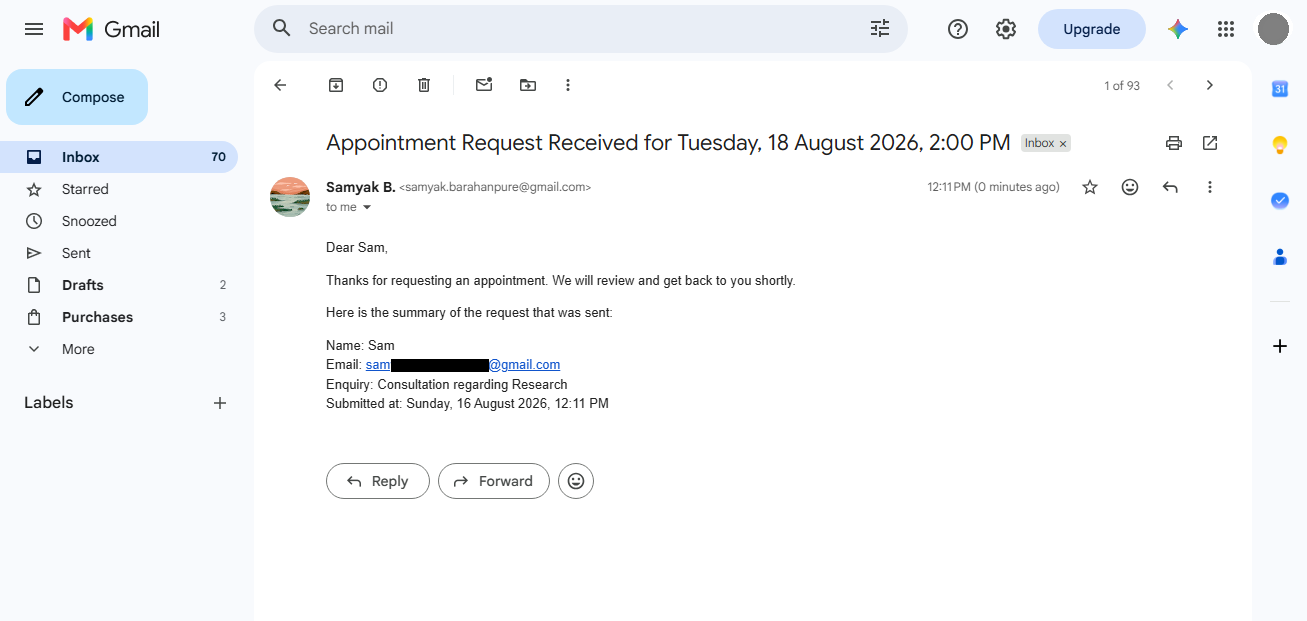
04

The request is received automatically

The responsible person receives a structured email with the request details without someone manually forwarding the information.

Appointment request received email
Actual received-request email · Private information redacted
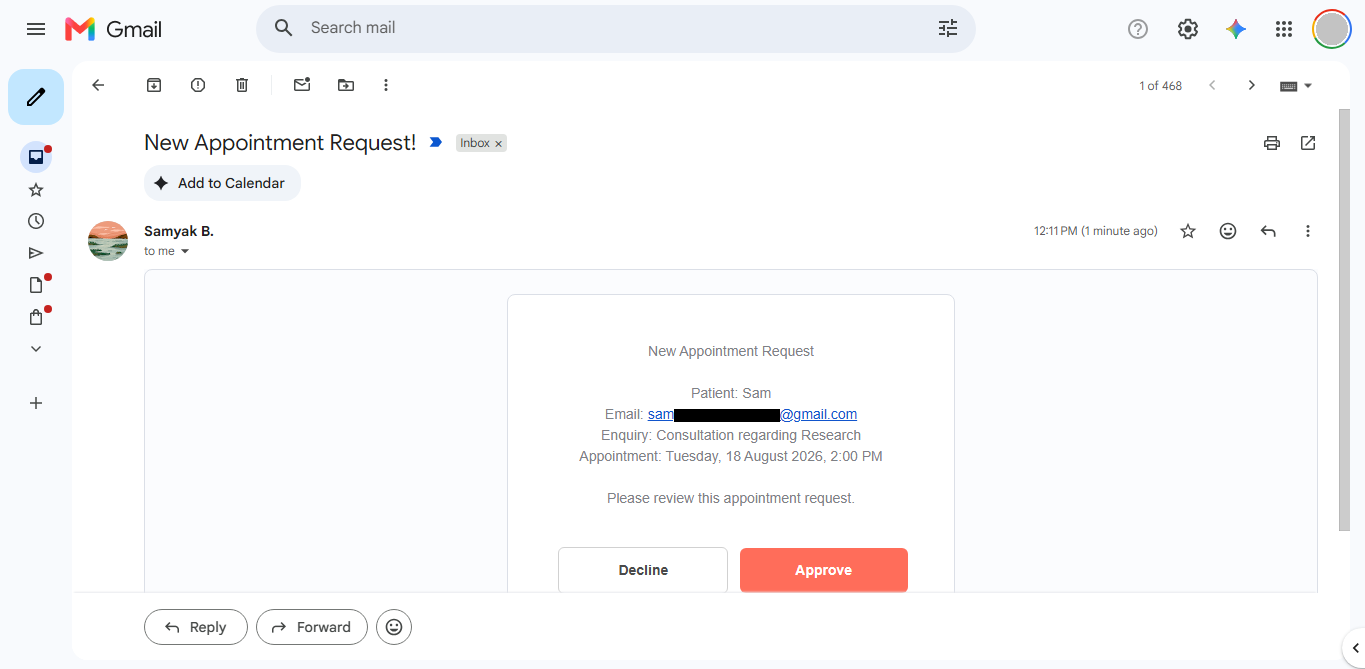
05

The receptionist or doctor approves or declines

The responsible person can make the decision directly from the approval email. No n8n interface is required for the staff member.

Appointment approval email with approve and decline actions
Actual approval email · Private information redacted
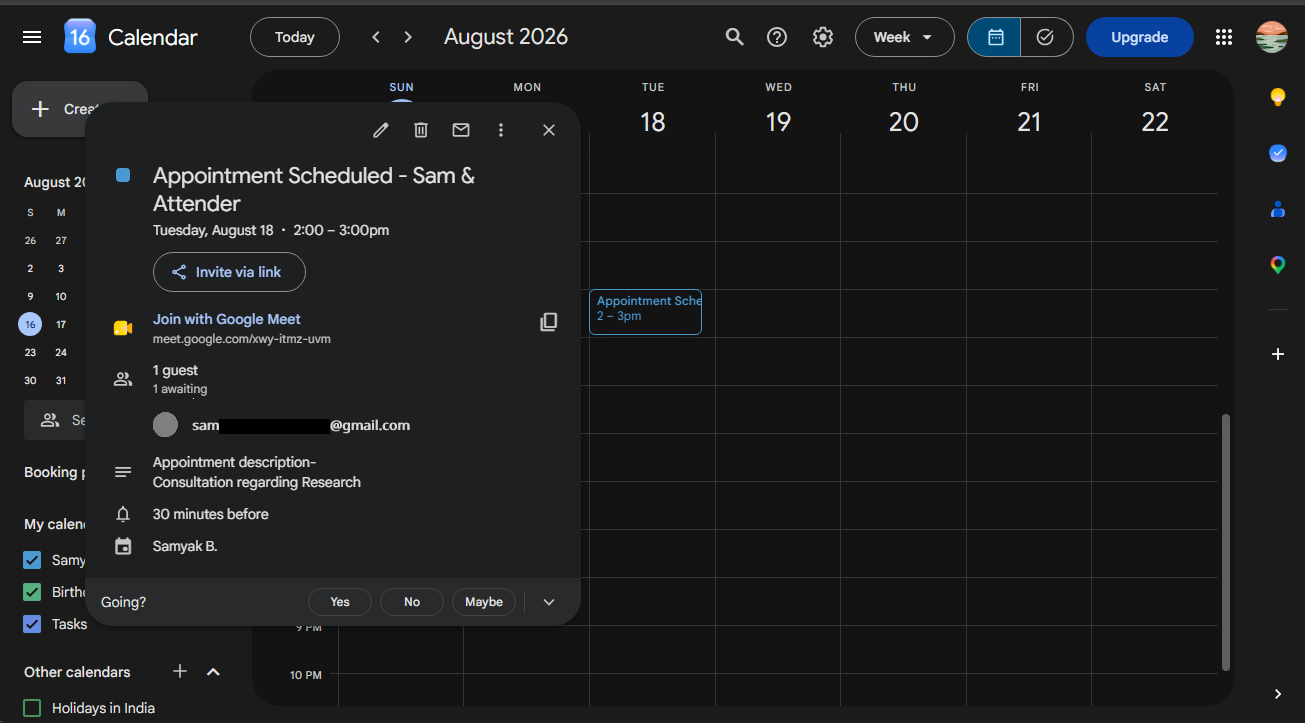
06

Approved appointments are added to the calendar

After approval, the appointment is created in Google Calendar with the scheduled time and relevant details.

Google Calendar appointment created automatically
Actual Google Calendar result · Private information redacted
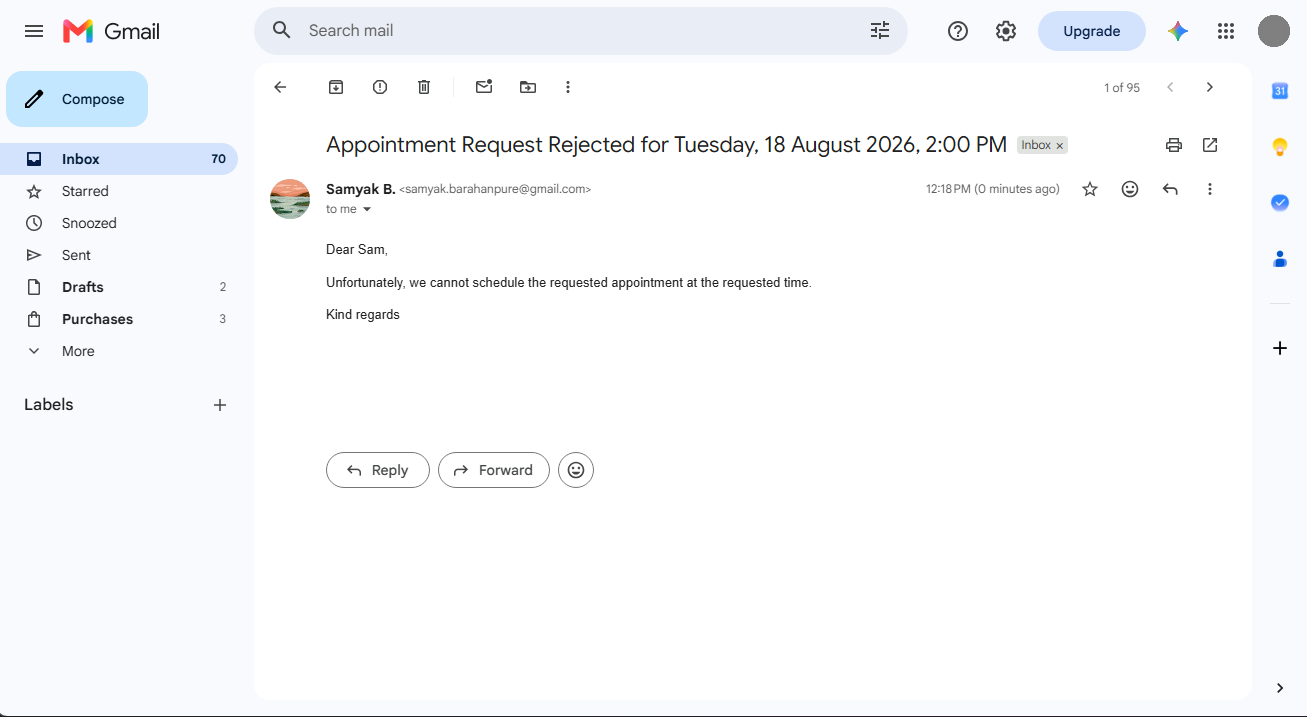
07

If declined, the customer is notified

The rejection branch sends an automatic response instead of leaving the customer waiting for a manual reply.

Appointment rejection email
Actual rejection email
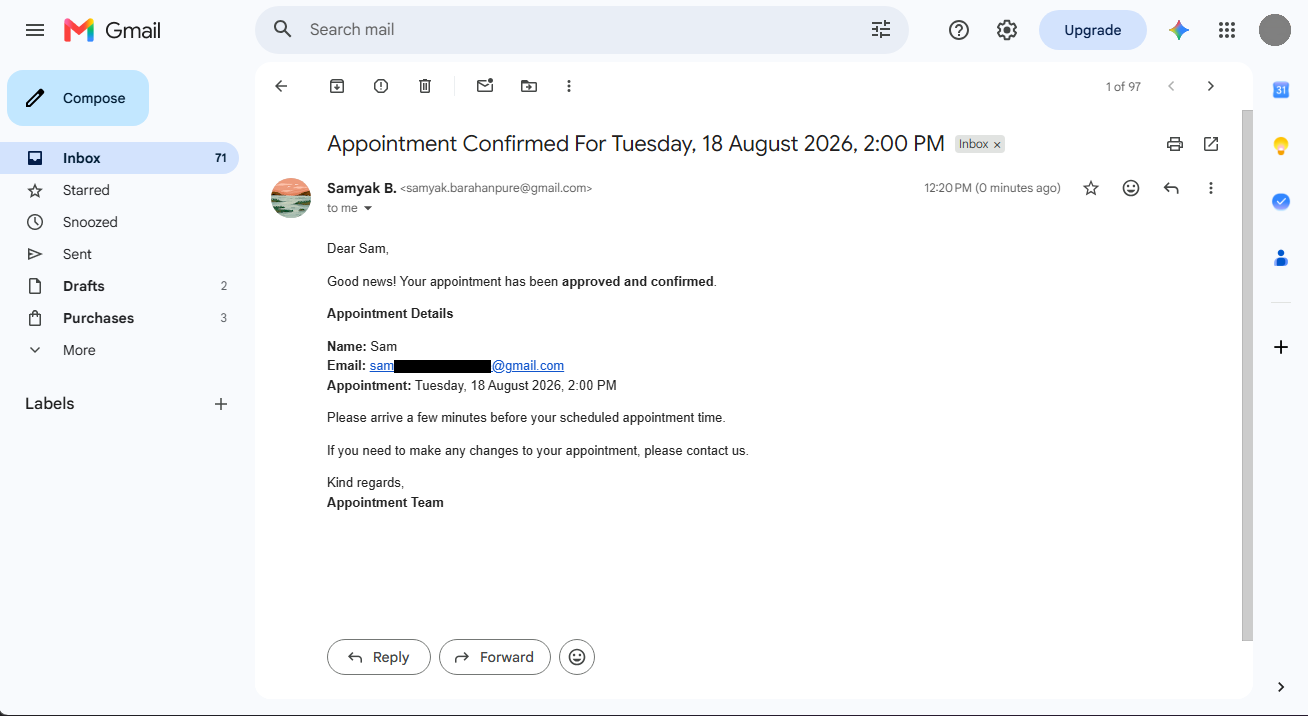
08

If approved, the customer receives confirmation

The customer receives the final confirmation with the appointment details after the staff decision and calendar step are complete.

Appointment confirmation email
Actual confirmation email · Private information redacted

RESULT

One request. One controlled workflow. No manual back-and-forth between every step.

✓ Availability checked ✓ Human approval retained ✓ Calendar updated automatically ✓ Customer notified automatically